01
Byte-reverse the payload
The first byte becomes the last. Headers, previews, thumbnails, and magic numbers all disappear into noise. To a casual viewer or automatic preview, the file looks like garbage.
// one-click file protection for windows
Flip every byte. Hide the file in plain sight. Flip it back perfectly.
Protect any file in a single click. Instantly reverse the bytes so the file becomes unreadable to scanners, previews, and casual viewers. Restore it just as easily on the other side.
Instant digital delivery. No subscription. No account required to run it.
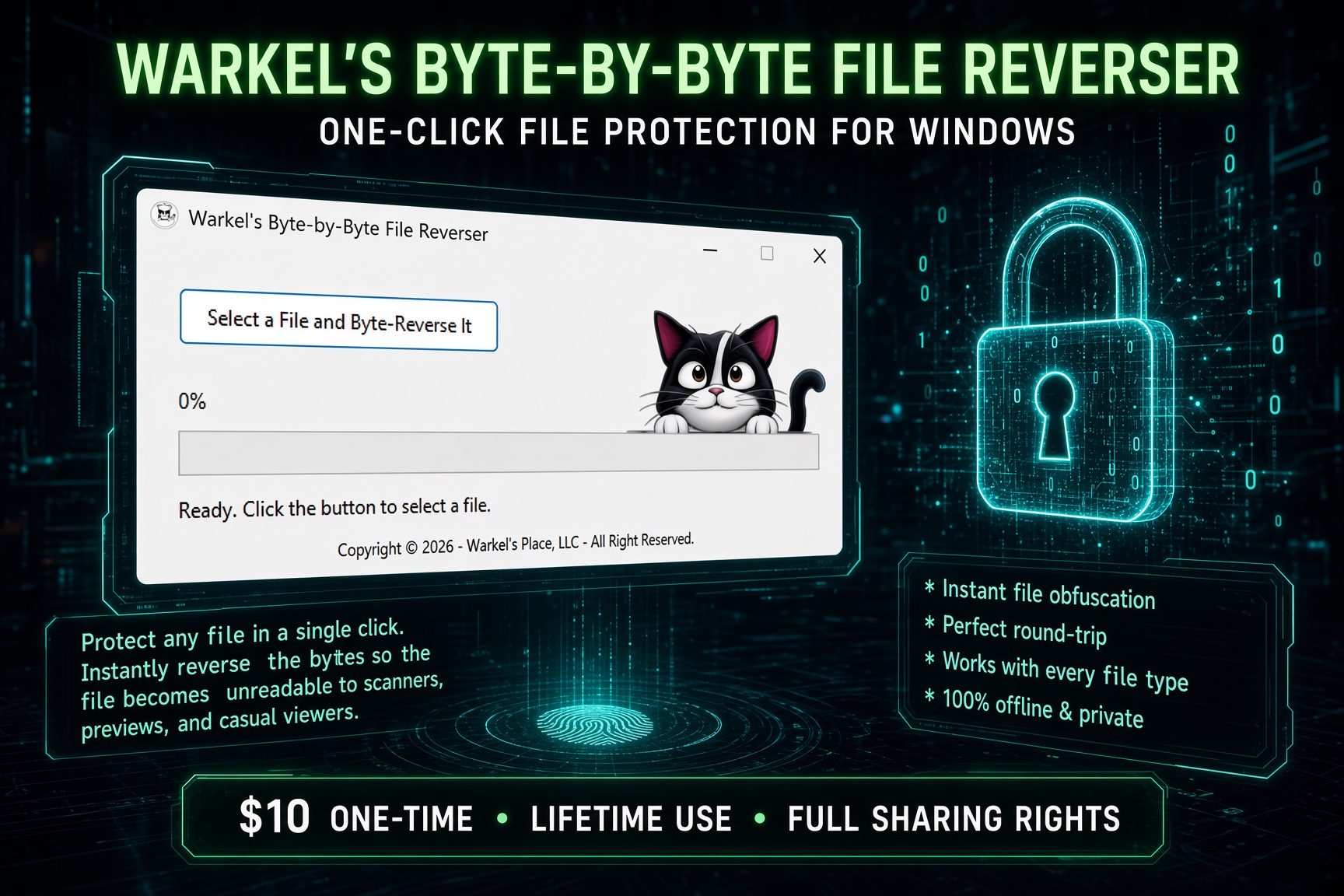

No passwords to forget. No cloud. No complicated crypto setup. One button reads the file and writes it back with every byte in reverse order.
The first byte becomes the last. Headers, previews, thumbnails, and magic numbers all disappear into noise. To a casual viewer or automatic preview, the file looks like garbage.
After processing, the file still has the exact same name. Clean, professional, and easy to send. No extra extensions to explain.
Reversing twice returns the original file, bit for bit. The recipient uses the same program once and they are back in business.
// four steps. zero learning curve.
Click the big button. Pick a document, photo, video, archive, database, spreadsheet — anything Windows can see.
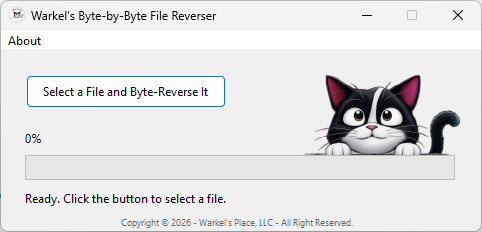
The program builds a temporary reversed copy in 64 KB chunks. Percentage, status, and progress bar update as it goes. Multi-gigabyte files stay memory-friendly.
Every reversed file is fully checked against the original before the original is replaced. Built-in verification first. Then the protected file takes the original name.
Hand the file to the other person. They run the same program once. Perfect round-trip. 100% restore.
A $10 utility that earns its keep the first time you need to hand someone a file without flashing the contents to every preview pane on the way.
Select a file, click once, done. No settings panel. No tutorial. No learning curve.
Every byte is reversed so the file looks like noise to email previews, cloud viewers, and casual snoops.
Run it again and the original file comes back 100%. Same tool on both sides.
Documents, photos, videos, archives, executables, databases — if it is a file, it works.
64 KB chunk processing handles multi-gigabyte files without eating your RAM.
No internet. No accounts. No cloud. The file never leaves your machine unless you send it.
After processing the file still has the exact same name. Clean and professional.
Real-time percentage, status messages, and a progress bar so you always know where you are.
The reversed copy is fully checked against the original before the original is replaced.
Send the program to anyone who needs to restore your files. That is part of the deal.
Pay once. Use it forever. No renewal. No “pro tier” waiting behind a paywall.
Less than lunch. Cheaper than most “security” subscriptions that do nothing this simple.
A real desktop program with a clear button, a cat, and a job to do. No browser required.
One button. A progress bar. Status text. If you can click, you can use it.
There is nothing to forget. The “key” is the program itself — reverse again and you are done.
Useful when you do not want an attachment to generate a readable preview in the recipient’s mail client.
Google Drive, Dropbox, OneDrive and similar services cannot generate a useful preview of a reversed file.
Messaging apps love to generate thumbnails. A reversed file gives them nothing useful to show.
Drop protected files on a stick, hand it over, restore on the other machine.
Temporarily scramble files before you loan a laptop or drop a drive on a counter.
Both sides use the same tiny tool. No shared passwords. No “what app do you have?”
It verifies, replaces, and keeps the original name. You are not left with a pile of .tmp files to sort.
It does not phone home. It does not need an account. Your files stay your files.
Independently checked at 0/71 detections. You can open the report yourself before you buy.
Chunked processing keeps memory use modest even when the file is huge.
Not a bloated suite. Not a 14-day trial. A single, sharp utility you will actually use.
Obfuscation you can undo on purpose. No “oops I locked myself out” moment.
Freelancers, shops, families, and small teams can use it without a security department.
Buy on Gumroad, download immediately, run it the same minute.
A real product from a working software shop — not a random unsigned mystery script.
Works offline forever. When the internet is down, the reverser still runs.
Because sharing rights are included, you can hand the program to the other party without buying a second license.
// built for real handoffs
Everything needed to start protecting files the minute you download it.
This is obfuscation by reversing byte order — not military-grade encryption. Anyone with the same program (or a similar reverse tool) can restore the file. Use it to block previews, casual viewing, and automated sniffers, not as a substitute for strong encryption when that is what the job requires.
Zip passwords get forgotten. Cloud “private” links still generate previews. Full encryption is overkill for a lot of everyday handoffs. This sits in the sweet spot.
| Need | This program | Zip + password | Full encryption suite |
|---|---|---|---|
| One-click for any file type | Yes | Extra steps | Usually heavier |
| No password to remember | Yes | Password required | Keys / phrases |
| Blocks casual previews | Yes | Often | Yes |
| Same filename after | Yes | Becomes a .zip | Often new extension |
| Share the tool with the other person | Included | They need an unzip app | They need the same suite |
| Works fully offline | Yes | Yes | Sometimes accounts |
| Price | $10 lifetime | Free / mixed | Subscriptions common |
| Giant files without drama | Chunked 64 KB | Can choke | Depends |
// simple pricing
One-time • Lifetime use • Full sharing rights
Buy it once. Keep it. Send the program to the person on the other end so they can reverse the file.
Buy on Gumroad — Instant DownloadSecure checkout via Gumroad. Download link arrives immediately.
Independently verified clean on VirusTotal with 0/71 detections. Check the report yourself before you buy.
Open the VirusTotal reportMade by Warkel's Place, LLC. Same crew that ships Windows utilities, CNC design packs, and other no-nonsense tools. Visit warkelsplace.com.
Straight answers. No fog.
No. It reverses the order of every byte in the file. That is enough to break previews, thumbnails, and casual viewing. It is not a replacement for strong encryption when you need cryptographic protection. Anyone with this program — which you are allowed to share — can restore the file.
Yes. Run the program on the reversed file and you get a perfect round-trip restore. The app verifies the reversed copy against the original before it replaces anything.
All of them. Documents, photos, videos, archives, executables, databases — any file Windows can point at.
Yes. Full sharing rights are included specifically so the recipient can reverse the files you send.
Only to buy and download it. After that it is 100% offline and private.
It reads and writes in 64 KB chunks, so multi-gigabyte files are fine and memory use stays low. You get live progress the whole time.
No. After processing, the file keeps the exact same name.
Windows. It is a desktop application with a simple one-button interface.
No. $10 one-time. Lifetime use. No renewal fees.
One click to protect a file. One click to bring it back. Ten bucks, forever.
Get Warkel's Byte-by-Byte File Reverser