For the long download session that just went manual. One click copies the next sellable name. Paste into Save As. The number ticks itself. The folder stays a catalog instead of a crime scene.
You meant to grab a whole folder of product shots, listing photos, or reference stills. The image-download plugin grabbed three, stalled on the rest, or the site blocked it. Now you’re saving file after file by hand — and the browser keeps offering the same filename for every different picture.
Warkel’s copies BlueVase-01.jpg, then 02, then 03, so the batch stays sellable instead of becoming image.jpg, image (1).jpg, image (2).jpg.
A small Windows program that sits beside the browser. Type the name you’ll sell under, the starting number, and the extension. Click. Paste. Next picture.
Press Enter if you hate reaching for the mouse. The number field stays focused so you can keep rolling.
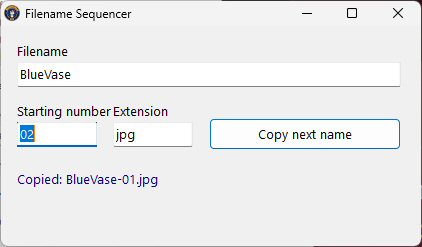
Name it once. Then it’s copy, paste, save, next — until the last file is in.
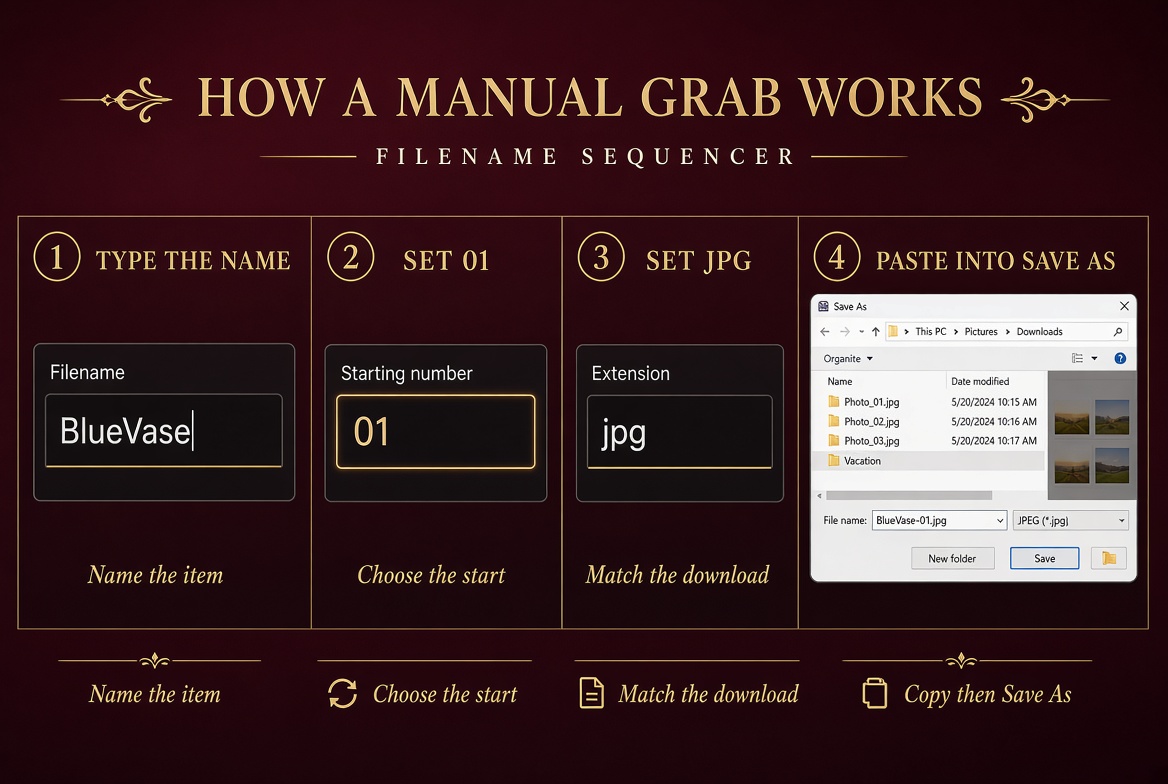
The stem you’ll sell or file under. One product, many angles, one clean prefix.
Type 01 or 001. Pick up at 16 if a plugin already saved the first fifteen.
Usually jpg or png. Change it on the fly. The number keeps climbing either way.
Click Copy (or hit Enter). Paste. Save. Open the next picture. Repeat until you quit.
Same eight photos. Completely different listing. Buyers shop with their eyes — and with searchable, sortable names.
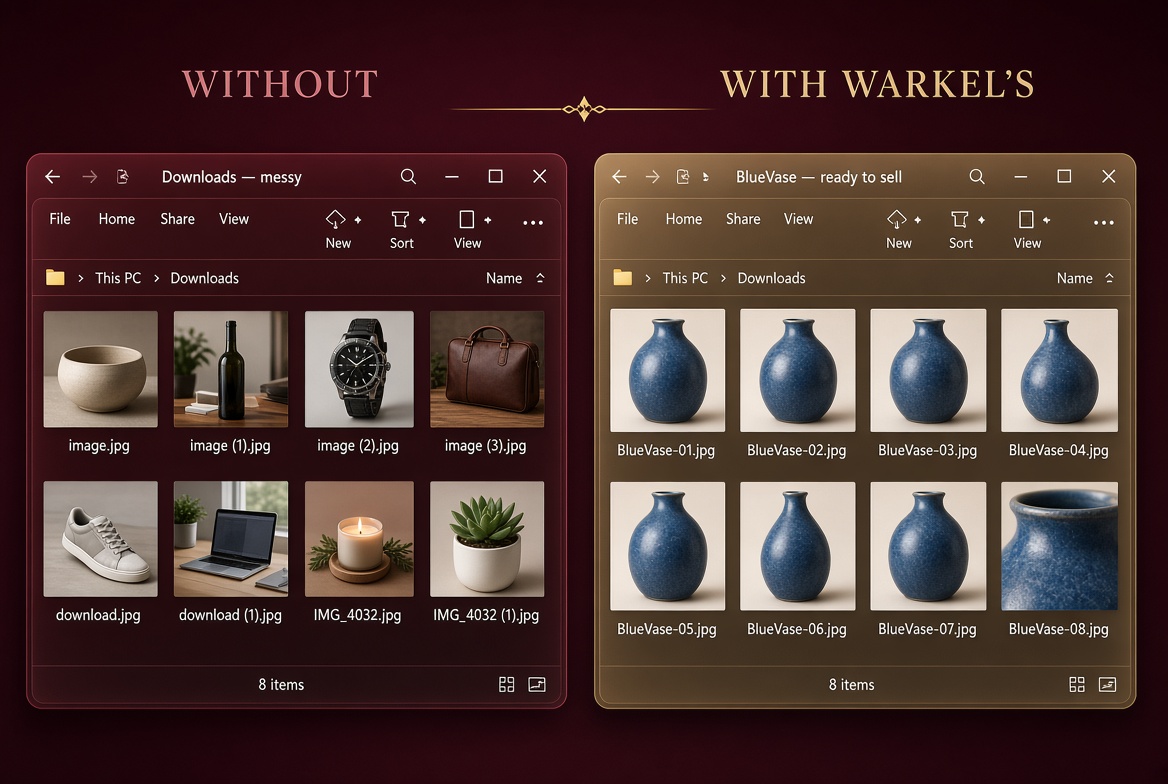
Not because it is fancy. Because the alternative is a pile of image (17).jpg files and a listing that will not sort.
Lazy-load galleries, blocked toolbars, “not allowed on this site.” Manual save is the fallback. This is the naming half of that fallback.
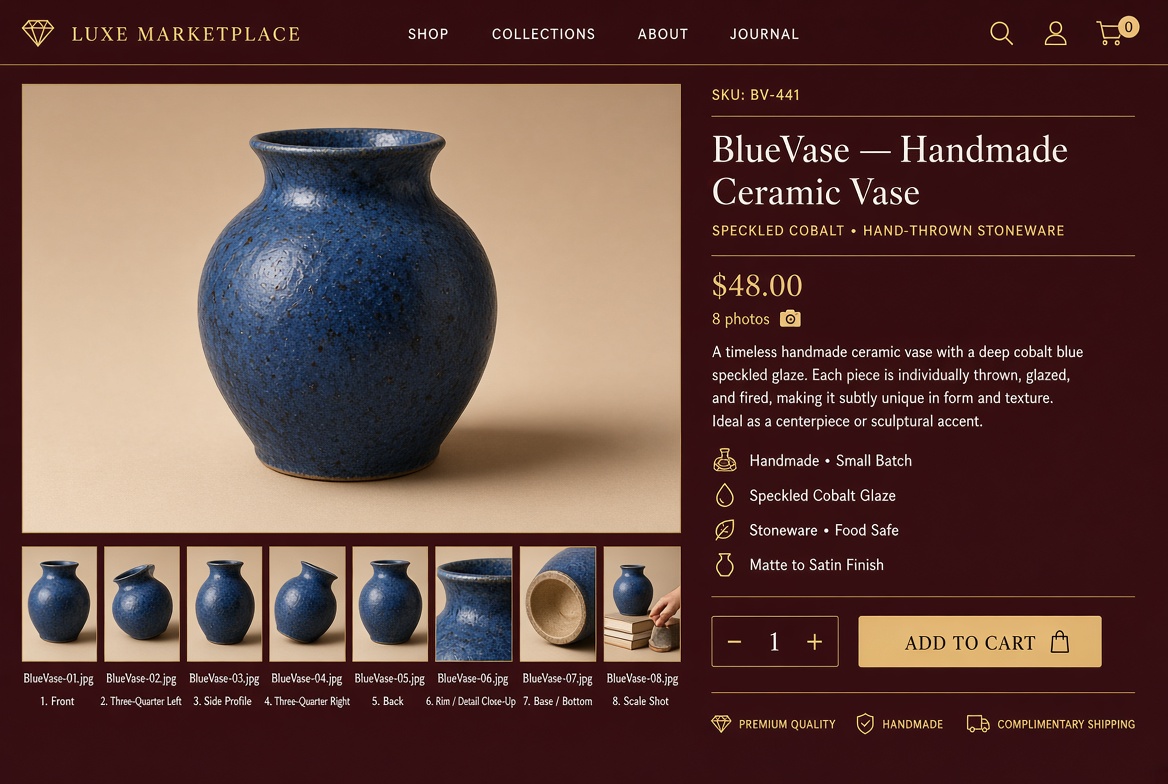
Front, back, detail, scale — one SKU, six different images. BlueVase-01 through BlueVase-06 instead of six copies of download.jpg.
After file 27 nobody remembers the last number. The box does. It increments the second you copy.
01 stays 01. 09 becomes 10, not 010. After 99 it becomes 100. Start with 001 if you want a long padded run.
jpg, png, webp, gif, tif, pdf if you must. Leading dots get stripped so you never save ..jpg by accident.
It does not live inside Chrome. When the extension is blocked, disabled, or banned on a work PC, the sequencer is still on the desktop.
It saved 1–15 and choked. Keep the same prefix, type 16, finish the set instead of starting a second mess.
No account. No phone-home. No cloud rename queue. Clipboard only. Works on a machine that should not be on the internet.
Renaming 80 files after the fact is the expensive part. One price. No subscription. Keep it forever.
Marketplaces, shops, and wholesale drops sort by name. Numbered SKU files look like inventory. Random downloads look like a leak.
It copies text. It does not download, rename, overwrite, or delete files. You choose where to paste and save. Always.
A small window you can park on the second monitor. Click, paste, next. Built for the long session, not a 40-click wizard.
One item, eight angles. The marketplace downloader saved two. You finish the set by hand as Vase-01.jpg through Vase-08.jpg — ready to upload and sell.
You need a large run of images from a page that blocks “download all.” Right-click, save, next — without losing the count.
A vendor sends a web gallery instead of a zip. Every file wants the same default name. You give each SKU its own numbered sequence.
The extension works on thumbnails 1–15 and chokes on the rest. Keep the same prefix and pick up at 16.
Lots of similar items, each with a few photos. Same stem per item, new number per shot — so you never sell the wrong picture under the wrong title.
No store plugin allowed. You can still save a large set in order because the helper is a small local Windows program, not a toolbar.
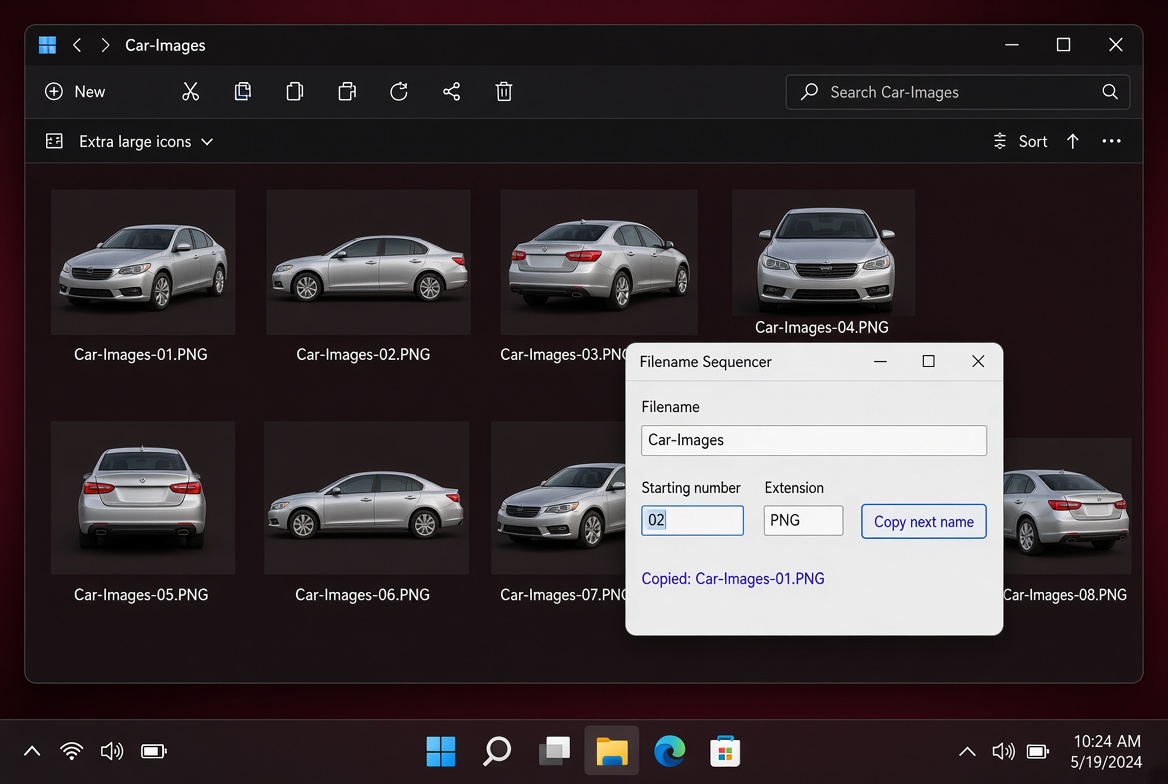
The point of all this naming
“A listing with BlueVase-01 through BlueVase-08 looks like a shop. A listing with image (3).jpg looks like you gave up.”
Numbered files sort. They match the SKU. They survive the trip from Downloads to the product page without a midnight rename marathon.
It does not download images for you. It names them. You still right-click or use Save As. The hard part after a plugin fails is not clicking — it’s keeping fifty different pictures from all being called image.jpg.

Warkel’s Filename Sequencer
Pay once. Keep it. Use it on every long session that just went manual.
I want this — checkoutCheckout, tax, and file delivery on Gumroad. Already bought it? Use Gumroad to grab your download link again.
Use one when it works. A lot of them miss files, ignore lazy-loaded galleries, or get blocked on the exact site you’re harvesting. Then you’re forced to save each picture manually — and every file wants the same name. This program is for that moment.
No. It names them. You still right-click or use Save As. The hard part after a plugin fails is not clicking — it’s keeping fifty different pictures from all being called image.jpg.
That’s the usual case: one vase, six angles, all destined for the same listing. Put BlueVase in the filename box once. Each click issues BlueVase-01.jpg, then 02, then 03. Different image, same sellable name, unique number.
If you started with two digits, you get 01–09, then 10–99, then 100. The width grows when the number needs more digits. Start with 001 if you want a long padded run.
A 32-bit Windows application, so it runs on typical 32- and 64-bit Windows desktops. No install circus. No account. No always-on service.
No. Ten dollars, one time.
No. It only copies text to the clipboard. It does not download, rename, overwrite, or delete files. You choose where to paste and save. Always confirm the filename before saving over an existing file.
This program is not intended for copyrighted content. Use it only with files you have the rights to download and save.
Park it next to the browser. Type the product once. Click. Paste. Next file. Ten dollars. One session pays for it.
Get Filename Sequencer — $10© 2026 Warkel's Place, LLC · www.warkelsplace.com · USE AT YOUR OWN RISK. This program only copies text to the clipboard. It does not download, rename, overwrite, or delete files on disk. You choose where to paste and save. Always confirm the filename before saving over an existing file. The author accepts no responsibility for any data loss or damage that may result from the use of this program.