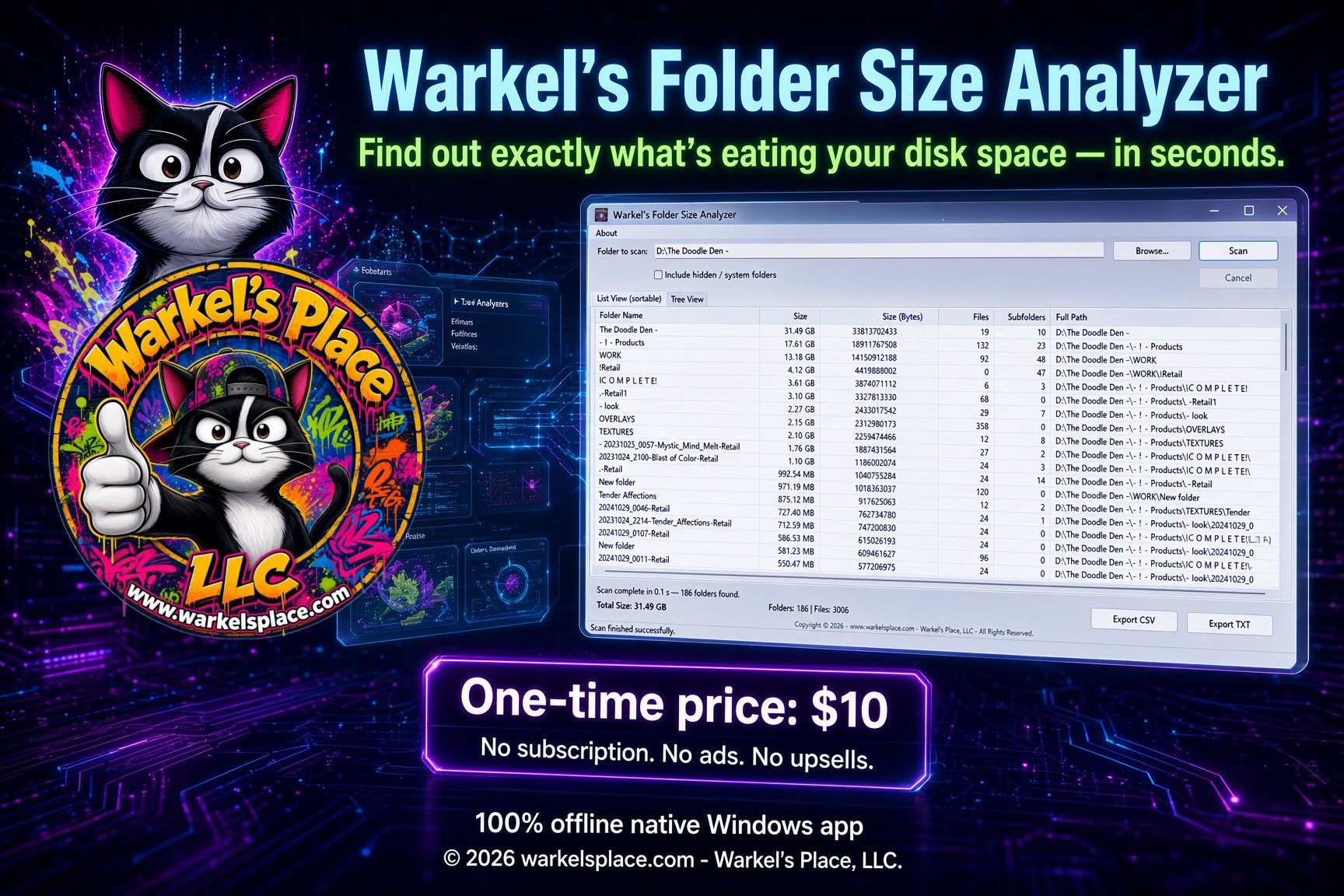
Warkel’s Folder Size Analyzer scans any folder or entire drive in seconds, ranks every folder by size, and shows you the real space hogs — so you can clean up with confidence.
Windows Explorer only shows file sizes. It doesn’t tell you which folders are quietly consuming tens of gigabytes. That’s where most people get stuck.
Old project folders, forgotten downloads, node_modules, cache directories, and Windows component stores can each eat 5–50 GB without you noticing.
Opening Properties on every folder one by one is tedious and inaccurate. You waste hours and still miss the real culprits.
Generic cleaners delete temp files but never show you the big picture of your own data. You need visibility, not blind deletion.
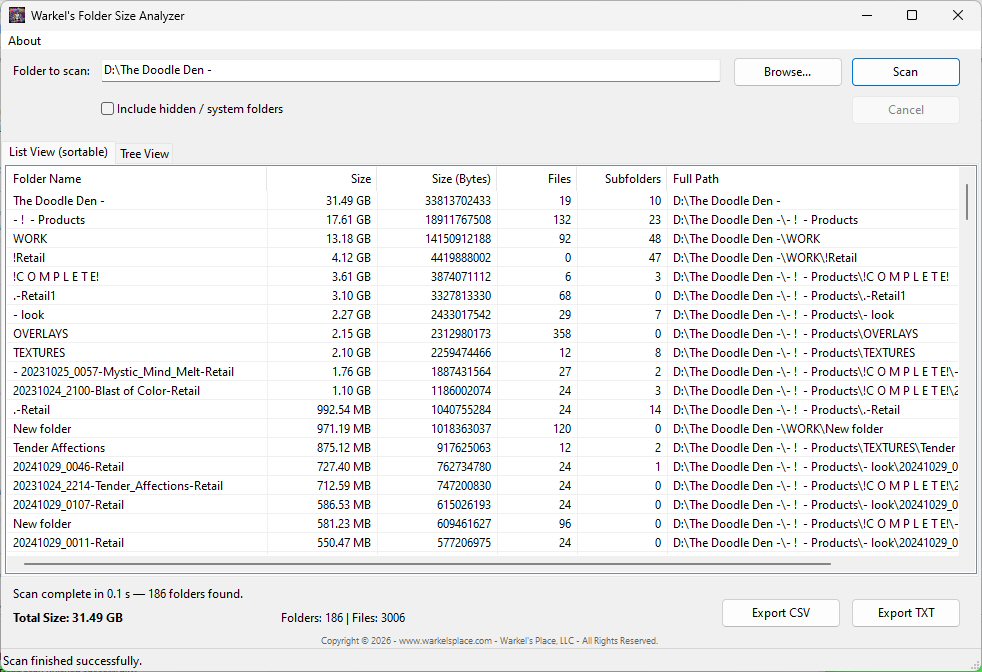
Native Windows UI. Pick a folder, hit Scan, and get sortable sizes, file counts, and full paths — then export if you need a record.
A focused tool built for one job: show you exactly which folders are taking space — fast, clearly, and privately.
Scans every subfolder and file. You get accurate total sizes that include all nested content — no more guessing.
Click any column header to sort by size, name, file count, or path. Largest folders rise to the top instantly.
See the folder structure with sizes at every level. Expand and collapse branches to explore exactly where space is used.
Started a full-drive scan by mistake? Hit Cancel. The app stays responsive and stops cleanly between directories.
Optionally include hidden and system folders so nothing is left out — perfect for advanced cleanup and forensics.
Save the full report for documentation, sharing with IT, or keeping a record of what you cleaned and when.
Sizes are shown in KB, MB, GB, or TB automatically — plus the exact byte count when you need precision.
See how many files and subfolders each directory contains. Spot folders with millions of tiny files that slow everything down.
Compiled with Lazarus / Free Pascal. Instant startup, tiny footprint, no browser engine, no extra runtimes to install.
The download includes the full project. Inspect it, learn from it, or rebuild it yourself — rare at this price.
Honest reasons it is worth $10 when your disk is full and you need answers now.
Native compiled code. No Electron bloat, no browser engine, no waiting for a web UI to load. It starts instantly and scans efficiently.
Zero telemetry. Zero online accounts. Zero cloud. The app never phones home. Perfect for work machines and privacy-conscious users.
No cluttered interface full of “premium” upsells. No forced cloud accounts. Pick a folder, scan, and see results ranked by size.
One forgotten node_modules, old VM, Steam library, or photo dump is usually worth more than $10 in disk space — and in time you don’t spend clicking Properties.
Identify node_modules, old virtual machines, duplicate project copies, game libraries, and Windows component stores that most cleaners ignore.
It never deletes files for you. You review the report and clean up in Explorer. Full control, no accidental wipes.
Export CSV or plain text you can attach to a ticket, send to a manager, or archive after a major cleanup.
$10 once. No subscription, no ads, no “Pro” gate. You get the complete app and the source after purchase.
Small executable, modest RAM use. Comfortable on older laptops where heavy “cleaner suites” crawl.
One payment. The whole product. Nothing held back behind a second checkout.
Four simple steps from “disk full” to “I know exactly what to delete.”
Browse to any drive or folder — C:\, your user profile, a project directory, or an external disk.
The analyzer walks every subfolder, calculates sizes, and builds both a sortable list and a tree.
Results appear sorted by size (largest first). Instantly see which folders are costing you the most space.
Open the worst offenders in Explorer and delete or archive what you no longer need. Export a report if you want a record.
A focused tool versus general-purpose approaches.
| Capability | Warkel’s Analyzer | Windows Explorer | Heavy “cleaner” suites |
|---|---|---|---|
| Shows folder totals including subfolders | ✓ Instant | Only one folder at a time | Sometimes |
| Sortable by size across all folders | ✓ Yes | No | Often |
| Tree + list views | ✓ Both | Limited | Varies |
| No ads / no upsells | ✓ Clean ($10 once) | ✓ | Usually full of them |
| Works fully offline | ✓ Always | ✓ | Often requires online |
| Export results | ✓ CSV & TXT | No | Sometimes |
| Lightweight native app | ✓ Yes | ✓ | Often heavy |
| Source code included | ✓ Yes | No | Almost never |
Real problems, real results.
I found a 28 GB node_modules folder from an old project I forgot existed. Deleted it in 30 seconds. This tool paid for itself in the first minute — and it only cost $10.
Finally something that just works without asking me to create an account or watch a 30-second ad. Scanned my whole D: drive and showed me exactly where my photos and videos were piling up.
We use it on support tickets when users say “my disk is full.” Export the CSV, attach it to the ticket, and everyone can see the same numbers. Simple and professional.

Get Warkel’s Folder Size Analyzer for a one-time payment of $10. Open it, pick a folder, and know within seconds where your space went.
One-time purchase · No hidden fees
Buy Now — $10Checkout on Gumroad · Instant download after payment · Windows 10 & 11 · Source included
Already purchased? Use the Gumroad receipt link to download again.
Quick answers to common questions.